Guide · Tools & workflows
AI Tools for Small Business: A Practical, Low-Cost Guide
Choose AI software by the job: customer drafts, source-based research, marketing or app handoffs. Compare five tools, free limits, costs and review requirements.
Metarix Editorial · Nov 11, 2026 · 11 min read
Documentation-based research
On this page
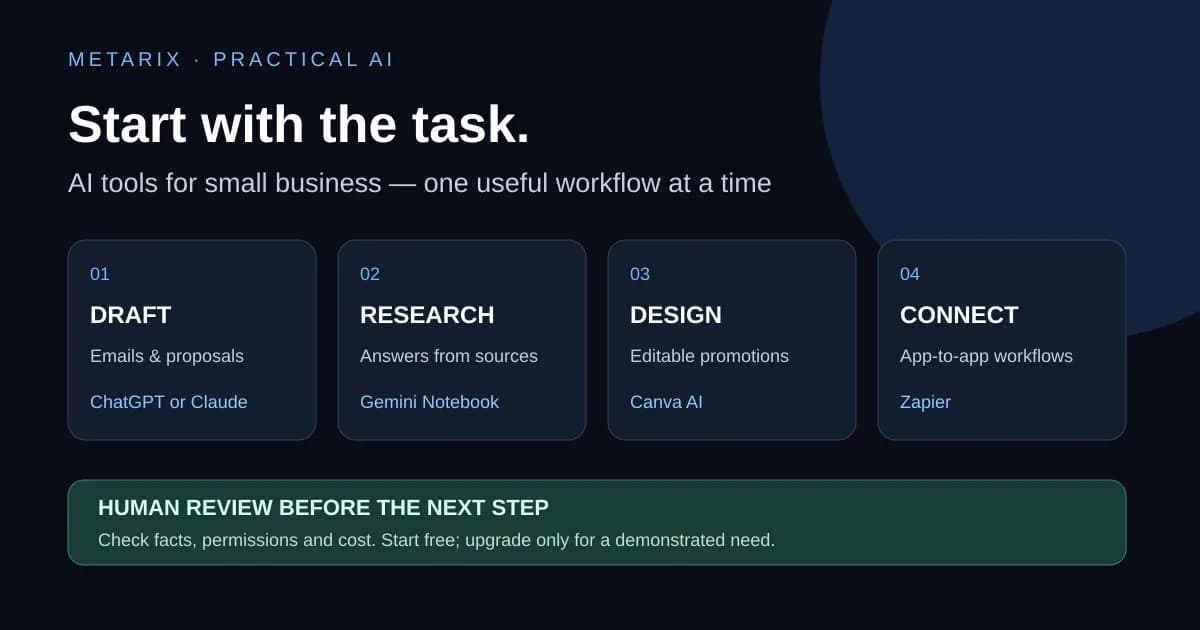
The best AI tools for a small business solve a recurring task you can name: replying to customer questions, finding an answer in a handbook, preparing a promotion or moving information between existing apps. A subscription is useful only if the result remains useful after someone checks it.
Our starting recommendation is one general assistant, the software you already use, and a short trial against real work. Add a research notebook, design tool or automation service when you can point to a gap. You do not need five overlapping subscriptions to begin.
This guide is a documentation-based comparison for US small-business readers, checked November 11, 2026. We reviewed official product, plan and data-control pages. We did not run paid product trials or measure time savings. Suggested workflows and budget examples below are examples to try, not measured returns.
Which AI tool fits which business task?
Scroll the table horizontally on smaller screens.
| Tool | A useful starting task | Free or paid boundary | What a person must check |
|---|---|---|---|
| ChatGPT | Draft a customer email, outline a process or inspect a simple report | Free has feature limits; Plus is $20/month, with API billing separate | Facts, calculations, promises and personal-workspace data settings |
| Claude | Restructure a proposal or turn a supplied document into a checklist | Free use is limited; Pro is $20 billed monthly before tax on the checked US pricing page | Missing conditions, invented details and model-improvement settings |
| Google Gemini Notebook / NotebookLM | Ask questions across an approved set of documents with source citations | Standard access and upgraded limits differ; check your account allowance | Whether the cited passage actually supports the answer and whether the source is current |
| Canva AI | Produce an editable draft of a promotion or social graphic | Some AI features are on Free; usage and advanced features depend on plan | Dates, prices, contact details, licensing and suitability for commercial use |
| Zapier | Move approved information between apps in a repeatable workflow | Free offers 100 tasks/month and two-step Zaps; paid tiers unlock broader workflows | Permissions, task consumption, duplicates and approval before consequential actions |
These products serve different jobs; this is not a measured ranking. Prices, taxes, limits and product names can change. A consumer subscription is not automatically a business contract, an API allowance or permission to upload customer data.
Start with your existing tools and a zero-dollar trial
List three tasks you repeated last week. For each, record how often it happens, which information it uses, what a correct result looks like and who can approve it. Choose the task with a clear output and a manageable error cost.
For example, a home-services business might draft appointment-confirmation replies from an approved template. A small retailer might turn an approved offer into three social post drafts. Neither example requires an autonomous agent or a new customer database.
Check whether your existing email, office or design subscription already includes an appropriate feature. Then test a free tier with public or fictional material. If you cannot describe how you will check the output, narrow the task before paying.
ChatGPT: flexible drafts and everyday business questions
ChatGPT is a sensible option for drafting, rewriting and organizing information when the work does not require a specialized app. Supply the facts and ask for a bounded output: an email draft, a checklist, or a table of questions that need a decision.
A useful customer-service prompt is:
Draft a reply using only the approved facts below.
Do not invent a discount, delivery date or refund exception.
If a fact is missing, list it under "Needs confirmation".
Return: customer-facing draft, then a short fact-check checklist.
Approved facts: [insert the policy and relevant non-sensitive details].
Treat generated spreadsheet formulas and calculations as proposals. Check them against a small example whose answer you already know. If a report says sales rose, verify the date range, units and underlying numbers before sharing it.
OpenAI's official Plus help page lists $20/month, billed monthly; API usage is separate. Check the current plan comparison and your account's offer before buying, since allowances and availability can change. The data-controls FAQ explains the personal-workspace model-improvement control, temporary-chat behavior and exceptions. Turning off training does not by itself make an account suitable for every type of confidential information.
Claude: a second option for document-shaped work
Claude is worth evaluating if your work often starts with a document and ends with a clearer document: a proposal outline, operating checklist, brief or policy comparison. This is a workflow recommendation, not a claim that Claude wins a benchmark against every alternative.
Ask it to separate direct statements from interpretations. For a supplier agreement, request a table of obligations, due dates, unanswered questions and the relevant passage. Have the responsible person check that table against the original; an assistant is not a substitute for legal review.
Claude's pricing page lists Free and Pro, including $20 per month when Pro is billed monthly before applicable tax. The annual offer is a different billing commitment. Usage is limited and varies with the work; a paid individual plan does not imply unlimited use.
Read the consumer data-handling explanation before using business material. Model-improvement choices, feedback, safety handling and commercial-product terms differ. Compare ChatGPT and Claude on the same five representative tasks before paying for both.
Google Gemini Notebook: answers tied to your supplied sources
Google's current NotebookLM help page names the product Gemini Notebook. The relevant capability for a business is a notebook built around selected sources, with grounded answers and inline citations.
An appropriate trial is a notebook containing approved public product sheets, a non-sensitive handbook and a clearly dated FAQ. Ask a question that requires locating a condition, then open the cited source. A citation is a route back to evidence; it does not guarantee that the answer preserved every exception.
Keep a record of which files and versions are in the notebook. Updating an original file and updating the material available to an assistant are separate things to verify. Avoid mixing a current policy with an obsolete draft and assuming the model will resolve the conflict correctly.
The usage-limit documentation distinguishes standard access and upgraded plans. Google documents different data treatment for ordinary use, feedback and qualifying Workspace or education accounts. Review the policy applicable to your actual account. A source-based interface is not a blanket permission to upload private customer records.
Canva AI: marketing drafts you can edit and verify
Canva AI is a practical option when the desired result is a visual draft rather than a chat transcript. Start with your real brand assets and approved offer, then use AI to explore wording, layouts or supporting imagery.
Before publishing, verify every date, price, address, phone number and product claim. Inspect generated text inside images carefully. Export at the dimensions needed for the destination and review it on a phone as well as a large screen.
Canva's official page says a range of AI-powered tools is available on Free, with more usage and advanced features on paid plans. It also explains that commercial use can require permissions and that AI-generated designs may not be exclusive. We could not verify a numeric US Pro checkout price from the public pricing page, so none is quoted here.
Keep important prices and terms as editable text, not solely as generated pixels. A person should approve the final design and the assets it contains.
Zapier: automate the handoff after the workflow works
Zapier connects applications through triggers and actions. Its Free plan currently lists 100 tasks per month and two-step Zaps. More complicated workflows, premium apps and higher usage can require a paid plan; an AI step may also have applicable usage charges or provider costs.
A useful first workflow is a new enquiry becoming an internal record and a draft response for approval. Begin with one destination and one action. Test duplicate events, missing fields and a failed connection before adding more steps.
A trigger count is not necessarily a billable-task count. If an example workflow uses four billable actions for each of 80 enquiries, that is 320 actions before retries or extra processing. This is arithmetic to explain the billing question, not a quote for a particular Zap. Check which steps are billable on your selected plan.
Keep sending a customer message, changing a booking or issuing a refund behind an explicit approval boundary until the complete workflow has been tested. Read-only discovery and a draft are easier to inspect than an unexpected change in a live business system.
Three small-business AI workflows to try
Customer replies: approved facts into a reviewed draft
Use a general assistant with an approved response template and a redacted example. Ask for a reply and a list of missing facts. Compare the result with your policy, restore any necessary customer information inside your authorized business system, then have a person send it.
Success means the reply is correct, complete and worth the review time. A friendly tone alone is insufficient. Keep a few examples where a refund exception or delivery commitment must not be invented.
Document questions: source collection into an answer with evidence
Use a source-grounded notebook for a small approved document set. Include the effective date and owner of each source. Test one answerable question, one missing answer and one question where an old and new policy conflict.
Check citations and abstention. If the answer is absent, the system should expose the gap rather than fill it with a plausible policy. If you eventually need to build this into your own application, our RAG lesson explains the engineering boundaries.
Marketing: an approved offer into a draft campaign
Write a short reusable AI brief with the audience, offer, brand voice, verified facts and prohibited claims. Draft the text in one assistant, then create an editable Canva design. Check the final text and visual together before scheduling it.
This avoids asking several disconnected tools to invent the business details independently. Keep customer testimonials and performance claims tied to real evidence.
What should you spend?
Begin at $0 incremental subscription cost where suitable free tiers or already-paid features cover the experiment. That does not mean the workflow has no labor, privacy or implementation cost.
For a concrete paid example, one Claude Pro seat billed monthly is $20 before tax at the checked price. Three such seats would be $60 before tax, not $20 for a team. An individual plan may still be the wrong contractual or administrative fit for a shared business process.
Use a simple decision calculation: monthly value of time you actually recover minus subscription charges, extra usage and review effort. For illustration, two hours genuinely recovered at an assumed $15 per hour provide $30 of gross time value; a $20 subscription leaves $10 before other costs. Those assumptions are not a forecast of your savings.
Upgrade when a specific limit repeatedly blocks a useful workflow. Cancel a trial that produces impressive drafts but little usable output. Do not buy a full stack because a list includes five products.
A one-week evaluation checklist
- Choose one task and collect five representative, non-sensitive examples, including a difficult case.
- Record the current completion and review effort before introducing AI.
- Use the same input and acceptance checklist for each candidate tool.
- Count factual corrections, missing conditions, unusable outputs and review effort.
- Inspect data controls, connected-app permissions, sharing and the cancellation terms.
- Keep the best-fitting workflow only if the checked result improves the work at an acceptable cost.
This is a proposed evaluation method; we did not claim to run it inside these products. If you want a broader assistant comparison, use our AI tools guide. For continuing product updates, build a small reading routine from our AI news sources comparison.
Sources and review method
Official documentation checked November 11, 2026: ChatGPT pricing and Plus subscription details, OpenAI data controls, Claude pricing, Claude consumer data handling, Google notebook overview and data handling, Canva AI features and FAQs and Zapier pricing and task limits.
Selection is based on distinct recurring tasks, a low-cost starting point and verifiable product documentation. It is not an exhaustive list, a hands-on product benchmark or a claim that these are universally the best AI tools for every small business. Confirm current account-specific prices and terms before purchase.
Frequently asked questions
- What are the best AI tools for a small business on a limited budget?
- Start with a free or already-included tool for one recurring task. This guide covers ChatGPT and Claude for general drafting, a Google source-grounded notebook for document questions, Canva AI for editable marketing drafts and Zapier for app handoffs. It does not claim one tool is best for every business.
- Do I need to pay for ChatGPT and Claude?
- Not necessarily. Compare them on the same representative tasks and keep the one that meets your requirements. Free plans have limits, and a paid individual subscription may not provide the business administration or contractual terms your workflow needs.
- Can AI software automatically answer customers or issue refunds?
- Some integrations can take actions, but capability is not evidence that the workflow is ready. Begin with drafts and explicit approval, check permissions and failure cases, and test the complete process before enabling consequential actions.
- Is it safe to upload customer records to a free AI tool?
- Do not assume so. Check authorization, applicable product terms, account settings, sharing, retention and training controls first. Use public, fictional or suitably redacted material for an initial trial.
- How much should a small business spend on AI each month?
- There is no universal budget. Start at zero incremental subscription cost where a suitable free or existing feature supports the trial, then compare the usable result and review effort with seat, usage and integration charges before upgrading.