Productivity · Comparison
Best AI CLI Coding Agents in 2026: Pricing and Verdict
Claude Code, Codex CLI, Copilot CLI, Antigravity CLI and OpenCode compared on pricing, setup, safety controls and fit, with prices as of Nov 2, 2026.
Metarix Editorial · Nov 2, 2026 · 10 min read
On this page
The best AI CLI coding agents in late 2026 are Claude Code, OpenAI's Codex CLI, GitHub Copilot CLI, Google's Antigravity CLI and the open-source OpenCode. They all read your repo, edit files and run commands from the shell, so the real differences are the models behind them, how they bill you, and how much control you get over what they touch. This guide compares the five on pricing, setup, safety controls and fit, with prices as of Nov 2, 2026.
Why the terminal became the default agent surface
A terminal agent sits where builds, tests, git and deploy scripts already live. It can run your test suite, read the failure, patch the code and run the tests again without you copying anything between windows. The same binary also runs headless, which means the agent you use interactively in the morning can review a pull request in CI that afternoon.
That is why every major vendor now ships one. It is also why the choice matters more than it did a year ago: these tools execute commands with your permissions, consume metered quota, and increasingly run in the background while you do something else. If you are still deciding how much autonomy to grant, read our guide on stopping AI coding agents from leaking secrets first.
The five agents at a glance
- Claude Code (Anthropic): Claude models only. Included in Claude Pro, Max and Ultra plans, or pay-as-you-go through the API. Best known for deep repo work and a large extension surface (skills, hooks, subagents, MCP).
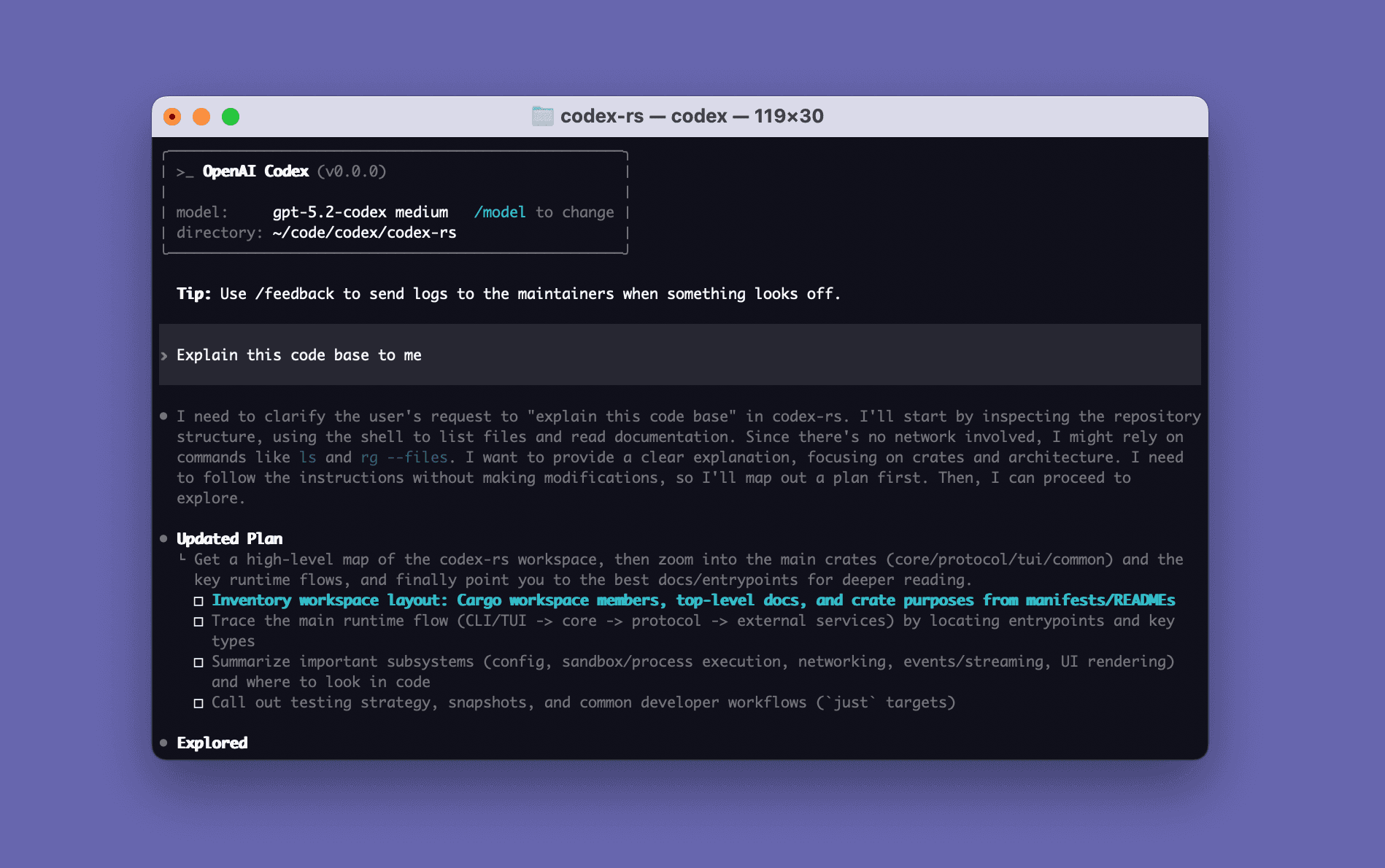
- Codex CLI (OpenAI): open source (Apache-2.0), GPT models. Included from ChatGPT Plus upward, or usable with an API key for CI. Strong sandboxing and a clear per-plan usage table.
- GitHub Copilot CLI (GitHub): multi-model, billed in Copilot AI credits. Included on every Copilot plan, including Free. Best fit if your team already lives in GitHub issues and pull requests.
- Antigravity CLI (Google): Gemini models, same agent harness as the Antigravity desktop app. Has a $0 individual tier with weekly limits. Replaced Gemini CLI for free and Google AI subscribers in June 2026.
- OpenCode: open source (MIT) and model-agnostic, with 75+ providers including local models. The software is free; you pay the provider you connect.
Pricing compared
Prices as of Nov 2, 2026, taken from each vendor's official pricing page. All five meter usage, and none of them publishes a simple tokens-per-dollar number for subscription plans, so treat plan prices as the entry fee rather than a guarantee of how much work you get done.
Claude Code
Claude Code is not available on the free Claude plan. According to Claude's pricing page, it is included in Pro at $17 a month billed annually ($200 upfront) or $20 billed monthly, in Max at $100 a month with 5x Pro usage, and in Ultra at $200 a month with 10x Pro weekly usage and no five-hour limit for verified accounts. Usage is shared between Claude chat and Claude Code. You can also switch to pay-as-you-go API billing through the Claude Console, where Sonnet 5.5 is listed at $2 per million input tokens and $10 per million output tokens, and Opus 5.5 at $4 and $20.
Codex CLI
OpenAI's Codex pricing page lists the CLI as part of ChatGPT Plus ($20 a month), alongside Codex on the web, in IDEs and on iOS. ChatGPT Free and Go include Codex in the desktop app, subject to rollout. Pro comes in $100, $200 and $500 tiers, and Business is $25 per user per month billed monthly. OpenAI publishes rough usage ranges per five hours on Plus: 15 to 160 local messages on GPT-6.1 Sol, 35 to 285 on GPT-6.1 Terra and 350 to 3,000 on GPT-6 Luna. Running /status in the CLI shows where you stand. For CI and automation, you can sign in with an API key and pay standard API rates instead.
GitHub Copilot CLI
GitHub's plans page and its usage-based billing docs describe a credit system: one AI credit is $0.01, and the CLI consumes credits based on the model and tokens used. Copilot Free includes the CLI with a small allowance. Pro is $10 a month with 1,500 credits ($15 of usage), Pro+ is $39 with 7,000 credits, and Max is $100 with 20,000 credits. Credits reset on the first of each month at 00:00 UTC. The upside is that one subscription covers several model families; the downside is that a heavy model can drain a monthly pool in days.
Antigravity CLI
Google's Antigravity pricing page lists a $0 tier for individuals with basic weekly rate limits, and higher limits plus a flexible AI credit pool for Google AI Pro and Ultra subscribers. Businesses buy through Google Cloud. Google does not publish exact quotas, so /usage (alias /quota) inside the CLI is the only reliable way to see what you have left.
OpenCode
OpenCode itself costs nothing. You bring a provider API key, use the bundled free models, sign in with an existing GitHub Copilot or ChatGPT Plus or Pro account, or buy credits for OpenCode Models, the team's curated pay-as-you-go model list. Your real cost is whatever the connected provider charges.
Setup in two commands
Every tool installs in under a minute. These are the official commands for macOS and Linux as of Nov 2, 2026; each project also documents Windows installers.
# Claude Code (then run `claude` in your project)curl -fsSL https://claude.ai/install.sh | bash
# Codex CLI (then run codex)
curl -fsSL https://chatgpt.com/codex/install.sh | sh
# GitHub Copilot CLI (needs Node.js 22+; then run copilot and /login)
npm install -g @github/copilot
# Antigravity CLI (installs the agy binary)
curl -fsSL https://antigravity.google/cli/install.sh | bash
# OpenCode 2 (then run opencode and /connect)
curl -fsSL https://opencode.ai/v2/install | bash
Piping an install script into a shell runs code from the internet with your user permissions. On a work machine, prefer the package-manager option each project offers (Homebrew, npm, WinGet) or read the script first.
How they differ in daily use
Claude Code: the deepest extension surface
Claude Code reads a CLAUDE.md file (or an existing AGENTS.md) at the start of every session, and adds skills, hooks that run shell commands before or after actions, subagents, MCP servers and scheduled tasks. It runs the same engine in the terminal, IDE extensions, a desktop app and the web, and claude -p turns it into a scriptable Unix tool you can pipe logs or diffs into. Its customization model keeps expanding. The trade-off is model lock-in: it runs Claude models, and heavy use pushes you toward the $100 or $200 plans.
Codex CLI: open source with strict defaults
Codex CLI is a native binary from an Apache-2.0 repository, so you can audit how it sandboxes commands and handles credentials. OpenAI has been tightening those defaults; see Codex CLI starts masking your credentials. Recent releases added voice input and worktrees for trying alternative approaches side by side, which OpenAI showed in a demo:
GitHub Copilot CLI: closest to your PR workflow
Copilot CLI shares context with GitHub, so asking it to work on an issue or prepare a pull request needs little setup. It can authenticate with a fine-grained personal access token that only has the Copilot Requests permission, which is handy for headless runs. Local sandboxing, which isolates the commands the agent runs on your machine, became generally available in October:
Antigravity CLI: Gemini's terminal agent, rebuilt
Google rebuilt its terminal agent in Go and called it Antigravity CLI, which it says is faster and more responsive than Gemini CLI. It keeps Gemini CLI's skills, hooks and subagents, turns extensions into plugins, and adds background agents, a /plan mode and an Artifact Review screen where you approve each proposed file change. It shares the same agent harness as the Antigravity 2.0 desktop app, so core agent improvements land in both. If you still run Gemini CLI, note that it stopped serving free and Google AI Pro and Ultra users on June 18, 2026; it remains for Code Assist Standard and Enterprise licenses and paid API keys. Details are on our Antigravity CLI tool page.
OpenCode: one harness, any model
OpenCode is the pick when you do not want your agent tied to one lab. It has Plan and Build modes (toggled with Tab), /undo and /redo for rolling back edits, and /init to generate an AGENTS.md for your project. Because the harness stays constant while the model changes, it is also a practical way to compare models on your own tasks, including open-weight coding models served locally. The catch is that quality depends entirely on the model you connect, and you own the job of choosing and budgeting it.
How to choose
- Pick the model family first. Agent harnesses have converged on the same features (plan mode, subagents, hooks, MCP). The model behind them still drives most of the quality difference, so start with the model your team trusts and take the CLI that ships with it.
- Match billing to your usage pattern. Bursty solo work suits a flat subscription (Claude Pro, ChatGPT Plus). Spiky team usage across models suits Copilot's credit pool. Steady CI automation is usually cheaper and more predictable on an API key with per-token billing.
- Decide what the agent may touch. Check the sandbox and approval modes before you enable auto-approve. Codex and Copilot document local sandboxing; Claude Code and Antigravity rely on permission prompts, hooks and review screens.
- Check benchmarks with care. Terminal-Bench measures agents on real shell tasks, but scores depend on the harness and model pairing. Our SWE-bench vs Terminal-Bench explainer covers what each one actually tests.
- Keep a second agent for review. Using a different vendor's agent to review the first one's diff catches more than self-review. Our roundup of AI code review tools covers dedicated options.
Illustrative example (not a test result): a two-person team already paying for GitHub Copilot Pro could start with Copilot CLI at no extra cost, add OpenCode signed in with the same Copilot account to try other harness behavior, and only buy a Claude or ChatGPT plan once they find a task class the included models handle poorly.
Verdict
There is no single best AI CLI coding agent; there is a best fit for the model you trust and the way you pay. Claude Code is the most complete agent environment if you are committed to Claude and can afford Max-level usage. Codex CLI is the strongest choice if you want open-source code, sandboxing you can audit and a published usage table. GitHub Copilot CLI is the lowest-friction option for teams already on Copilot, since even the Free plan includes it. Antigravity CLI is the obvious move for Gemini users and the cheapest way to start, with a $0 tier. OpenCode wins if you want to avoid lock-in or run local models.
Our practical advice: start with the CLI bundled in a plan you already pay for, run it on a real backlog task for a week, and watch /status, /usage or your credit balance before upgrading.
Sources
- Claude pricing (Anthropic)
- Claude Code overview (Anthropic docs)
- Codex pricing (OpenAI)
- openai/codex repository and README (GitHub)
- GitHub Copilot plans (GitHub)
- Installing GitHub Copilot CLI (GitHub Docs)
- Transitioning Gemini CLI to Antigravity CLI (Google Developers Blog, May 19, 2026)
- Antigravity pricing (Google)
- Antigravity CLI getting started (Google docs)
- OpenCode docs
Frequently asked questions
- What is the best AI CLI coding agent?
- It depends on the model you trust and how you pay. Claude Code has the deepest extension surface, Codex CLI is open source with auditable sandboxing, Copilot CLI fits GitHub-centric teams, Antigravity CLI suits Gemini users, and OpenCode works with any model.
- Is there a free AI coding agent for the terminal?
- Yes. As of Nov 2, 2026, GitHub Copilot Free includes Copilot CLI with a small allowance, Antigravity CLI has a $0 individual tier with weekly limits, and OpenCode is free open-source software that ships with some free models. Claude Code is not included in the free Claude plan.
- What happened to Gemini CLI?
- Google announced Antigravity CLI as its replacement on May 19, 2026. From June 18, 2026, Gemini CLI stopped serving free and Google AI Pro and Ultra users. It remains open source and available for Gemini Code Assist Standard and Enterprise licenses and paid API keys.
- Can I use these agents in CI pipelines?
- Yes. Claude Code runs headless with claude -p and integrates with GitHub Actions and GitLab CI, Codex CLI can authenticate with an OpenAI API key, and Copilot CLI accepts a fine-grained personal access token with the Copilot Requests permission.
- Do AI CLI agents share the same project instruction file?
- Mostly. Codex CLI and OpenCode use AGENTS.md, and OpenCode's /init command can generate one. Claude Code uses CLAUDE.md but also reads an existing AGENTS.md, so one shared file can cover several agents.